The best power strips for office use depend on how many devices you plug in, whether you need surge protection, and how you want cables arranged. These picks cover smart outlet control, compact desk charging, added AC outlets, and cord management so you can match a strip to your workspace.
Quick Top Products
Tapo P316M Smart Wi-Fi Power Strip
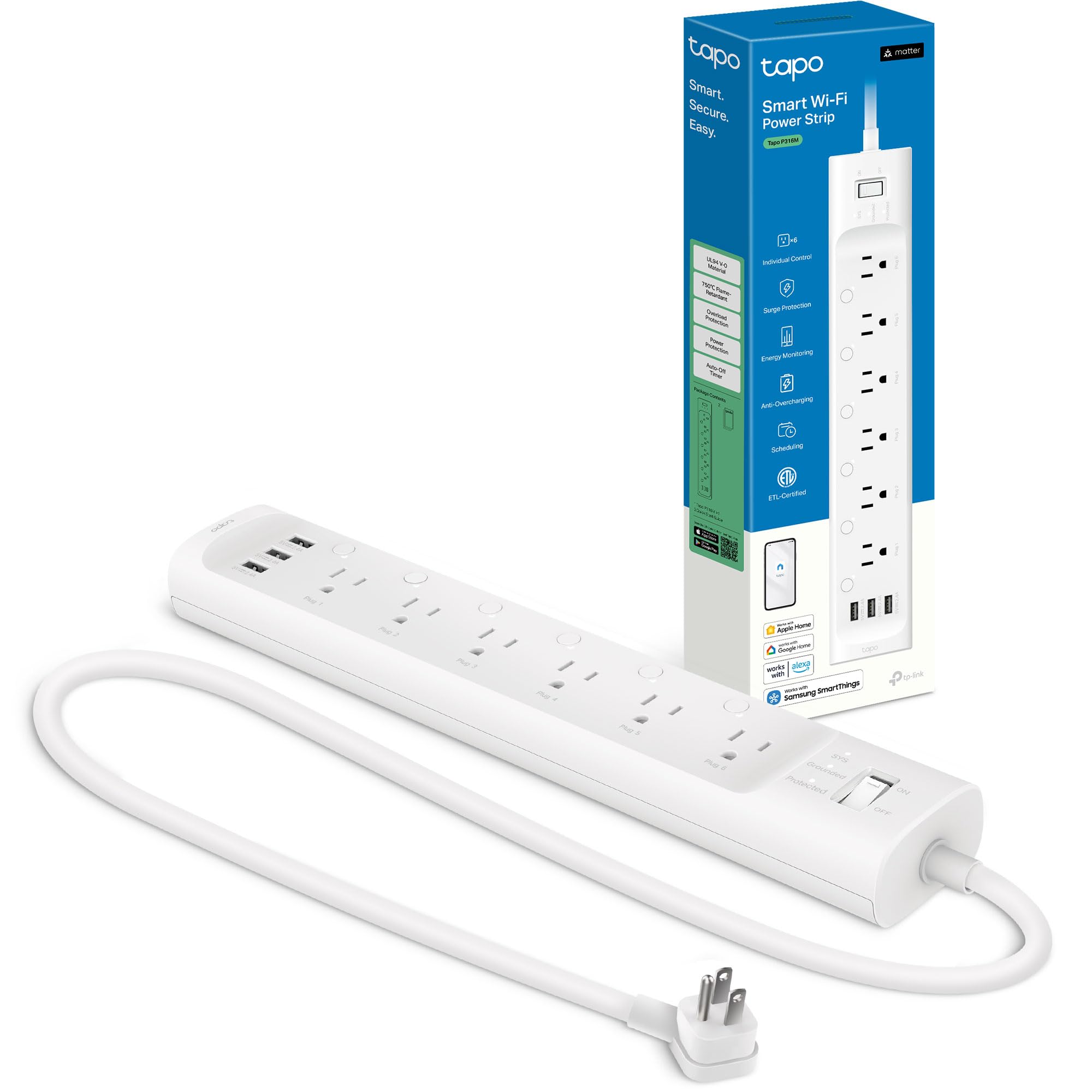
- Six individually controlled AC outlets and three always-on USB ports power up to nine devices.
- Matter compatibility and voice control support major smart home platforms.
- Energy monitoring is available for each AC outlet.
Best For: Office users who want to schedule outlets and monitor energy use across connected devices.

BESTEK 8-Outlet Tower with Wireless Charger
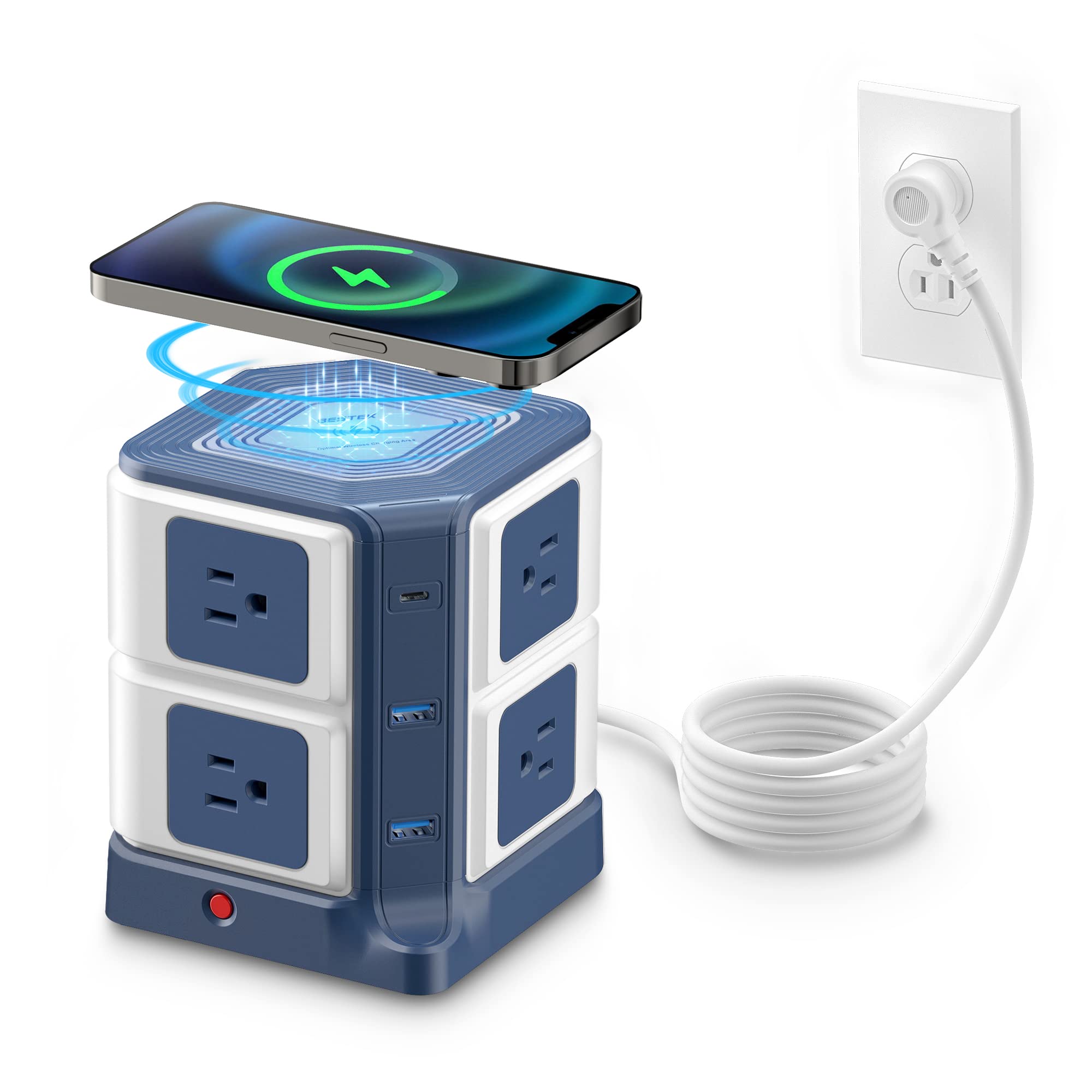
- Eight AC outlets, three USB ports, and a wireless charger accommodate a varied desk setup.
- Qi wireless charging is built into the top surface.
- Surge protection is rated at 4000 joules.
Best For: Desks with many AC-powered devices and compatible phones for wireless charging.
BESTEK PD20W Power Strip Tower
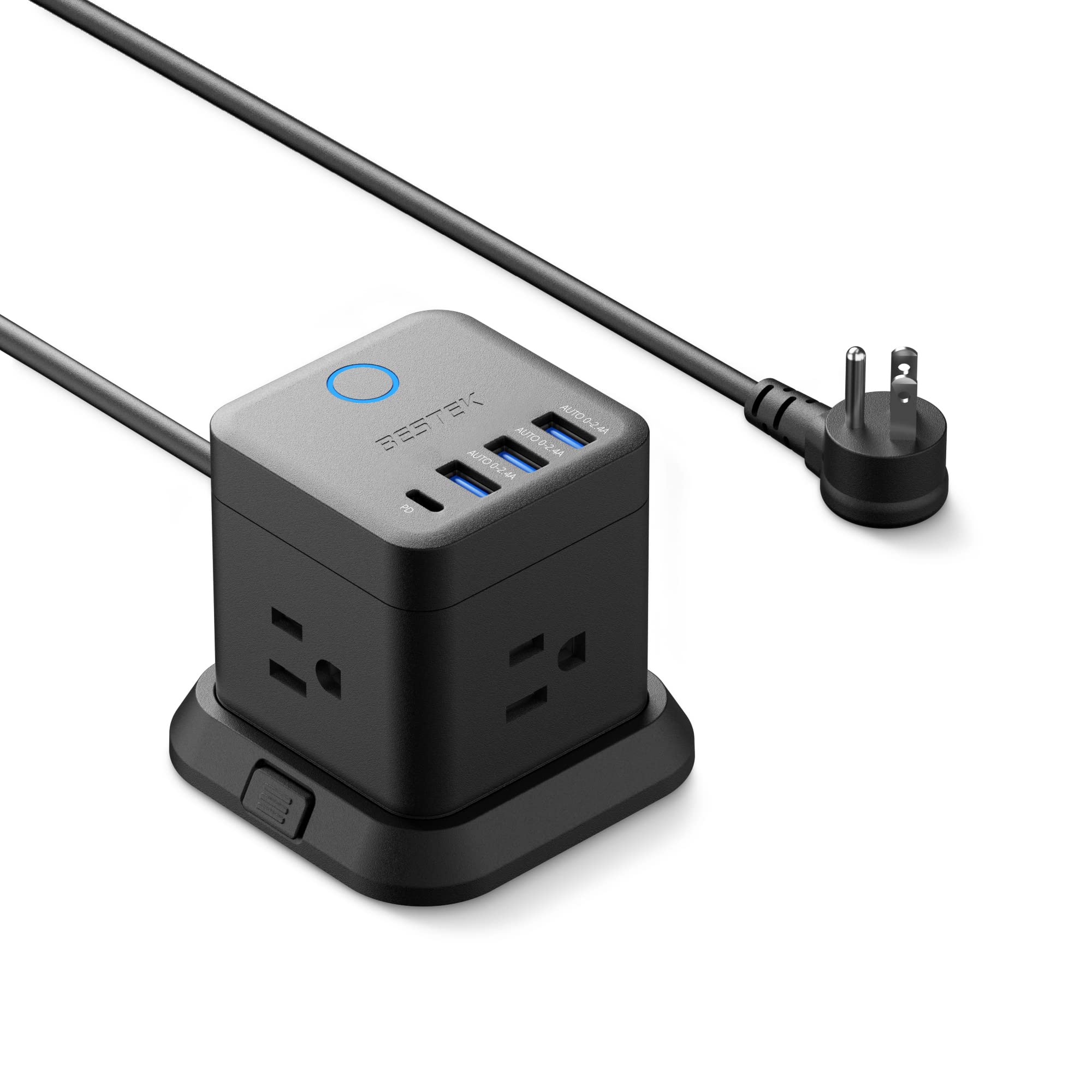
- It has three AC outlets, three USB-A ports, and one USB-C PD 20W port.
- The detachable base supports mounting on desks, under tables, or walls.
- A 5-foot extension cord and flat plug help with tight placement.
Best For: A compact desk or under-desk setup needing a few AC outlets and mixed USB charging.
BESTEK 3-Outlet Power Cube with 4 USB Ports
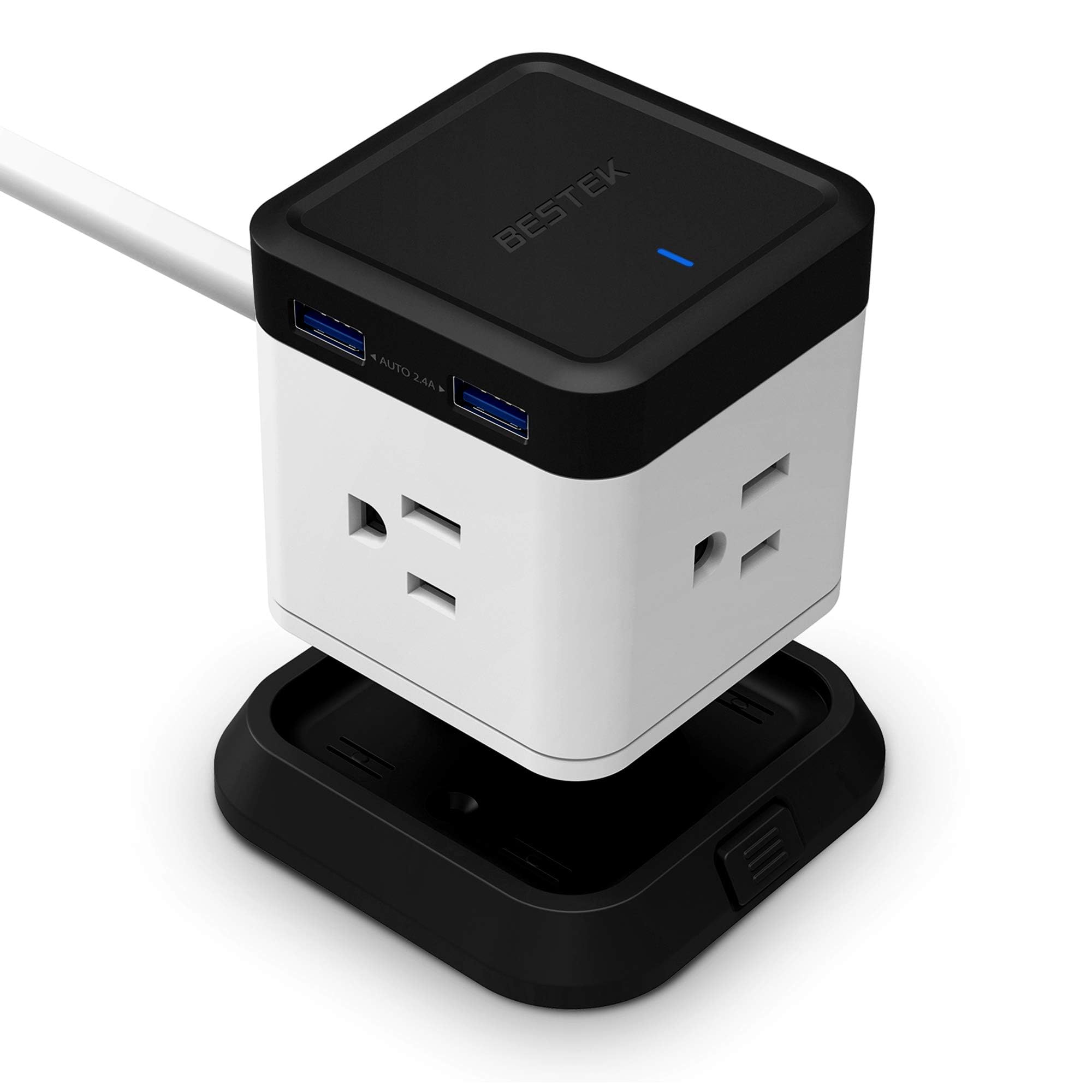
- Three AC outlets and four USB ports provide seven connections.
- The cube measures 2.56 x 2.56 x 2.72 inches.
- The 5-foot cord allows flexible placement from the wall outlet.
Best For: A compact workstation needing several USB charging ports and modest AC expansion.
BESTEK 7-Outlet Wall Tap Surge Protector
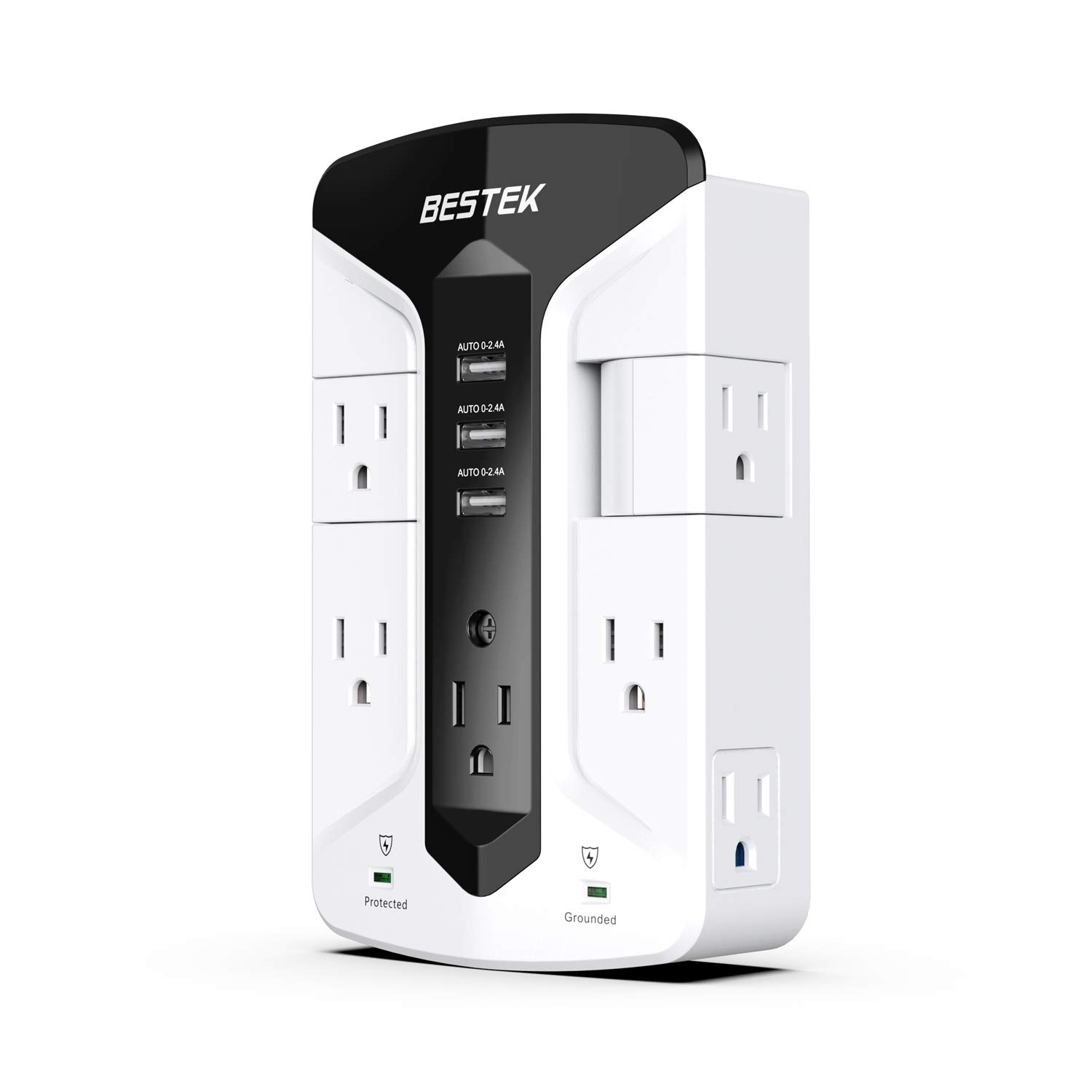
- Seven AC outlets and three USB charging ports expand a wall outlet.
- Two outlets rotate to help accommodate larger adapters.
- Surge suppression is rated at 900 joules.
Best For: Users who want a wall-mounted outlet extender with rotating outlets and a place to rest a phone.
Sleek Socket 8-Foot Outlet Concealer
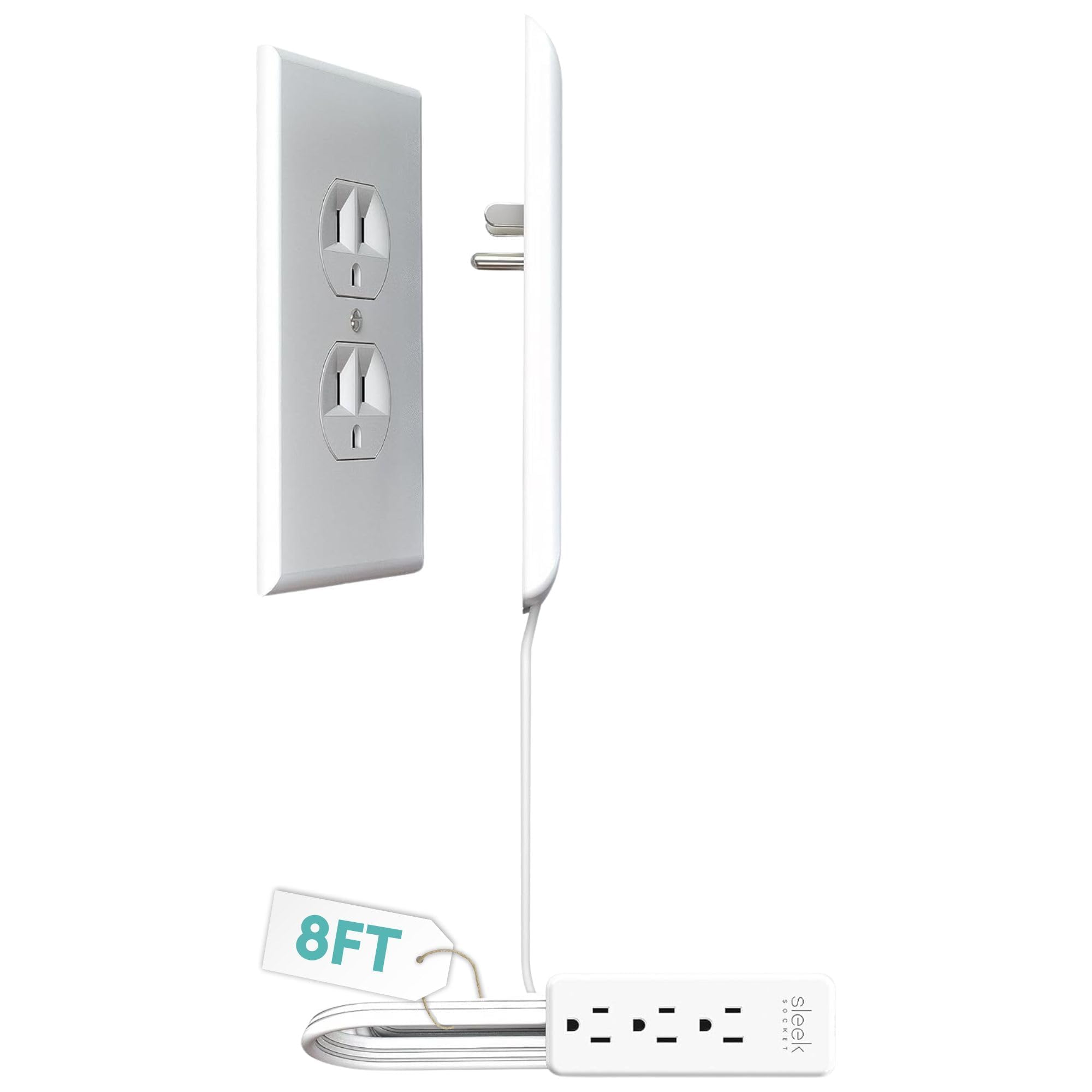
- An 8-foot flat cord connects to a three-outlet power strip.
- The kit includes removable adhesive strips and cord clips.
- The ultra-thin plug is designed to sit close to the wall.
Best For: Office setups where a low-profile cord needs to reach a desk behind furniture.
BESTEK 5-Foot Flat Plug Power Strip
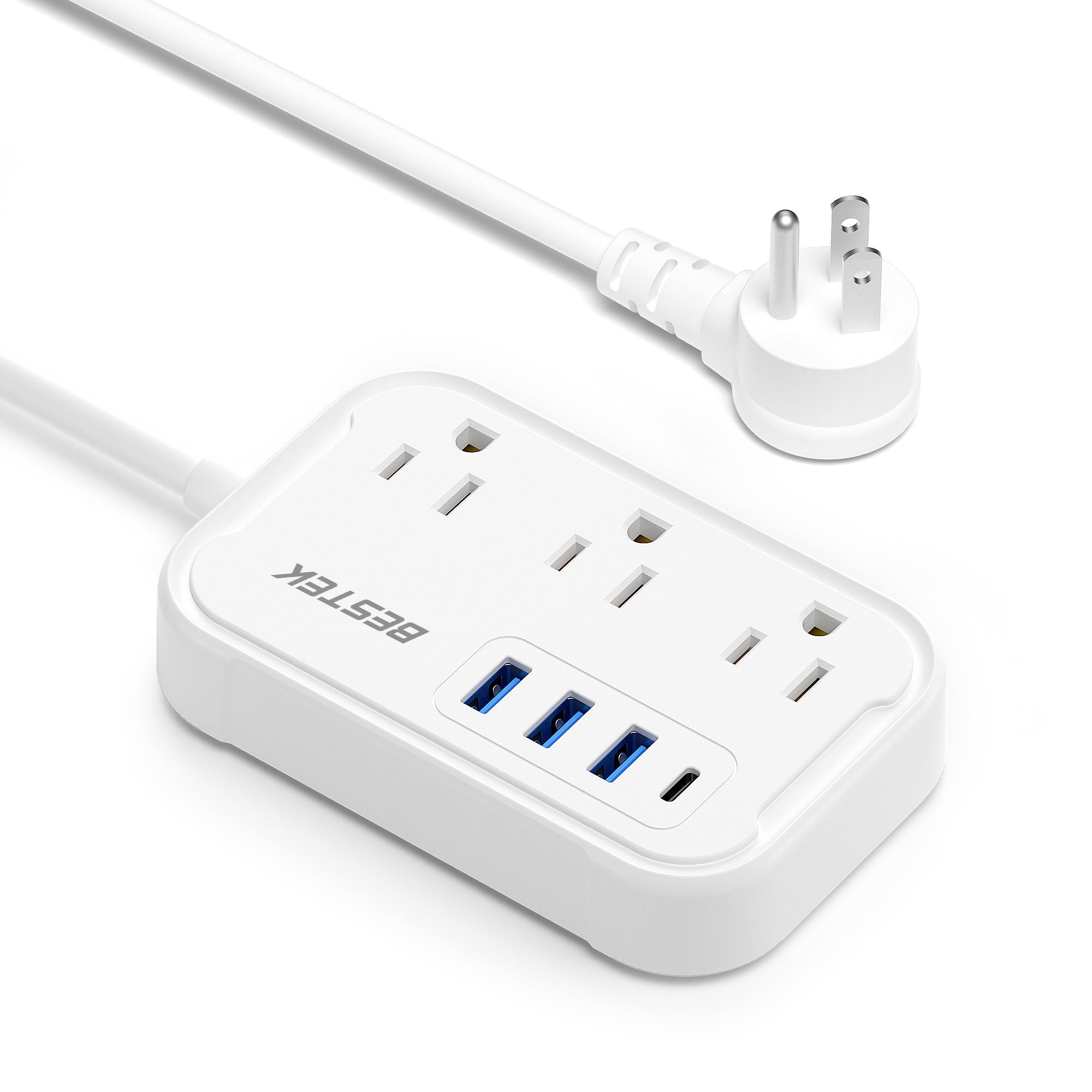
- Three AC outlets and four USB ports can serve up to seven devices.
- USB-C PD supports up to 20W output.
- A 5-foot cord ends in a 45-degree flat plug.
Best For: A desk setup that needs three AC outlets, multiple USB ports, and a slim wall plug.
Smart Control and Energy Tracking
Tapo Smart Wi-Fi Power Strip - Matter Compatible, Energy Monitoring, Surge Protection, 6 Individually Controlled Outlets & 3 USB Ports, Works with Alexa, Google Assistant, Siri & Bixby - Tapo P316M
The Tapo P316M combines six individually controlled AC outlets with three always-on USB ports, giving a desk setup room for computers, peripherals, and USB charging. Matter compatibility and voice control work with major smart home platforms, while the Tapo app supports remote control and outlet schedules.
Energy monitoring is available for each AC outlet, which can help users see where connected equipment draws power. Its flush-fitting plug and 3-foot cord suit placement behind furniture, though that cable length may limit where it can sit relative to the wall outlet.
Choose it when per-device control and energy visibility matter more than a simple manual strip.
Best For: Office users who want to schedule outlets and monitor energy use across connected devices.
| Pros | Cons |
|---|---|
|
|
Choose the P316M if you want outlet scheduling, remote operation, or energy monitoring as part of your office setup. Its six separately controlled AC outlets offer more individual management than a basic desktop power cube, and the three USB ports remain always on.
Before buying, check whether the 3-foot cord reaches your intended location and whether the outlet spacing suits your adapters. Its smart features are most useful when you plan to configure connected devices and schedules.
High-Capacity Desktop Charging Tower
PD 20W USB C Power Strip with Wireless Charger BESTEK 8-Outlet Surge Protector and 30W 3-Port USB Charging Dock Station,4000 Joules,ETL Listed,Dorm Room Accessories (8AC+3USB+Wireless Charger-Blue)
This BESTEK tower puts eight AC outlets, three USB charging ports, and a Qi wireless charging surface in a 5.7-inch-tall desktop unit. The product title identifies two USB ports and one USB-C port, while the notes describe up to eleven powered devices.
A 6-foot flat-plug cord can reach a nearby wall outlet, and the tower's multi-angle layout is intended to use desk space efficiently. It also includes 4000 joules of surge protection, a built-in circuit breaker, and ETL listing.
Consider the tower format if you need a high outlet count and wireless charging in one spot; check desk clearance and adapter fit before placing it.
Best For: Desks with many AC-powered devices and compatible phones for wireless charging.
| Pros | Cons |
|---|---|
|
|
Pick this tower when AC outlet count is the main priority and wireless charging would simplify your phone routine. It has more AC outlets than the compact three-outlet cubes in this group, but takes up vertical space on the desk.
The 6-foot cord gives more placement flexibility than shorter options. Check whether the tower's footprint and outlet arrangement fit your equipment, and confirm your phone supports Qi charging if you expect to use the top charger.
Mountable Cube with USB-C PD
BESTEK PD20W Power Strip Tower with USB, Vertical Cube Mountable Power Outlet Extender with 3 Outlets, 3 USB-A & 1 USB-C Ports, 5-Foot Extension Cord and Detachable Base for Easy Mounting (Black)
The BESTEK PD20W cube combines three AC outlets with three USB-A ports and one USB-C port that supports PD 3.0 charging up to 20W. Its 5-foot extension cord separates the charging cube from the wall outlet, while the detachable base can be mounted with screws or included adhesive.
The three AC outlets face different directions and are described as widely spaced, which can help when plugs crowd one another. A 45-degree flat plug also suits narrow gaps.
This is a practical fit for a smaller office cluster that needs USB-C charging and a mountable footprint, though it has fewer AC outlets than a full-size strip.
Best For: A compact desk or under-desk setup needing a few AC outlets and mixed USB charging.
| Pros | Cons |
|---|---|
|
|
Choose this cube for a compact setup that benefits from mounting and a USB-C charging port. Its three AC outlets suit a focused group of desk devices, while the USB ports handle smaller electronics.
The 5-foot cord offers more reach than a short wall tap, though it adds cable to route under or behind a desk. Check the total AC outlet count you need and the shared USB output details before relying on it for several simultaneous fast charges.
Compact Four-Port USB Desk Cube
BESTEK Power Strip with USB, Multiple Plug with 3 Outlets 4 USB, 5 ft Extension Cord,Flat Plug Surge Protector Tower,Power Delivery Charging for Dorm Rooms,Home,Office Charging Station
This BESTEK power cube turns one wall socket into three AC outlets and adds four USB ports. Its 2.56-inch square footprint is intended for tight spaces behind desks or furniture, and screws or adhesive can secure it to a tabletop, underside, or wall.
A 5-foot extension cord gives the cube room to sit where cables are easier to reach. Each USB port is rated for a maximum output current of 2.4A, according to the notes.
The cube is a straightforward choice for a smaller office setup with multiple USB devices, but the supplied facts do not identify surge protection, so buyers who need that feature should verify it before choosing.
Best For: A compact workstation needing several USB charging ports and modest AC expansion.
| Pros | Cons |
|---|---|
|
|
This cube suits an office with a small number of AC devices and several phones, headphones, or other USB-powered items. Its compact dimensions and 5-foot cord offer flexible placement, and mounting can keep it from sliding around.
It provides fewer AC outlets than the eight-outlet tower, so count your adapters before buying. The records do not specify surge protection; if that is a requirement for your equipment, confirm the feature directly before settling on this model.
Swiveling Wall Tap with Phone Shelf
BESTEK 7-Outlet Wall Tap Surge Protector Power Strip with Swivel Outlets, 3 USB Charging Ports, 900 Joule Surge Suppression, Top Phone Holder
This BESTEK wall tap adds seven AC outlets and three USB charging ports directly at a standard wall outlet. Two AC outlets rotate to create more room for large adapters, and the top phone holder offers a small resting place while a device charges.
Its surge suppression is rated at 900 joules, and the notes identify overvoltage, short-circuit, and overcurrent protection. The wall-mounted format avoids placing another power strip on the desk, but it depends on a convenient wall outlet and may not reach equipment positioned across a room.
Check that the wall outlet location and surrounding furniture leave room for the tap and connected plugs.
Best For: Users who want a wall-mounted outlet extender with rotating outlets and a place to rest a phone.
| Pros | Cons |
|---|---|
|
|
Choose this wall tap if the outlet is close to your desk and you want several AC connections without a separate strip on the desktop. Its swiveling outlets address bulky adapters, while the phone holder and USB ports add convenient charging features.
It offers less freedom to position devices than a strip with a long cord. Before buying, check how much room is available around the wall receptacle and whether the 900-joule rating aligns with your surge-protection needs.
Long-Reach Cord Concealer for Furniture
Sleek Socket Original & Patented Ultra-Thin Outlet Concealer with Cord Concealer Kit, Flat Extension Cord with Multi Outlets Power Strip, Ideal for Home Improvement, Hide Bulky and Messy Cords
The Sleek Socket concealer combines a flat extension cord with a three-outlet power strip and a kit for routing the cable neatly along a wall. Its 8-foot reach suits a desk positioned farther from the receptacle, including setups behind a couch or bed in a multipurpose room.
The ultra-thin plug is designed to sit close to the wall, and removable adhesive strips and cord clips help secure the cable. This option focuses on discreet cord management and added outlets rather than USB charging or documented surge suppression.
Check that your duplex outlet matches the specified round ground pin arrangement before purchase.
Best For: Office setups where a low-profile cord needs to reach a desk behind furniture.
| Pros | Cons |
|---|---|
|
|
Consider the 8-foot Sleek Socket when cord routing and reach are more important than a high outlet count. It can keep a cable closer to the wall and includes clips for securing the run, which can help in an office sharing space with living-room furniture.
It has only three outlets and the source facts do not specify USB charging or surge protection. Confirm the outlet fit and decide whether you need more charging ports or documented surge suppression.
Travel-Style Strip with USB-C PD
BESTEK Travel Power Strip, Cruise Ship Essentitals with USB C,Flat Plug Extension Cord with 3 Outlets 4 USB Ports(1 PD20W),5 ft Desk Wall Outlets Extender,Non Surge Protector for Cruise
This BESTEK strip has three AC outlets, three USB-A ports, and one USB-C PD 20W port, with a 5-foot extension cord and a 45-degree flat plug. The compact body is designed for travel and cruise use, but its mix of ports can also suit a small office desk, dorm workstation, or hotel workspace.
It has no surge protection, a feature that matters for buyers choosing a power strip for office equipment. The USB-C port supports 20W output, while the notes caution that some laptops may show normal charging rather than a fast-charge indicator.
Check your device's charging needs and whether you require surge protection.
Best For: A desk setup that needs three AC outlets, multiple USB ports, and a slim wall plug.
| Pros | Cons |
|---|---|
|
|
This is a fit for a compact desk where the mix of AC and USB ports is useful and the wall outlet sits within cord reach. Its travel-oriented design keeps the unit small, and the flat plug can help behind furniture.
The key tradeoff is explicit: it has no surge protection. If you are connecting office equipment that you want protected from surges, choose an option with a documented surge feature; otherwise, check that the 20W USB-C output suits your devices.
How to Choose Power Strips For Office
How We Picked Power Strips for Office
These picks cover different desk problems: controlling connected devices individually, adding outlets without taking much desk space, organizing cables, or charging several USB devices. We favored products with clearly identified office-relevant features such as multiple AC outlets, USB charging, mountable or compact designs, longer cords, and documented surge protection.
The selected models include smart and manual options, with wall-mounted and desktop formats. Travel-focused designs appear only where their port mix and cord layout have a practical desk use.
The supplied choices do not all serve the same kind of workstation. A smart strip suits users who want schedules and energy visibility, while a tower or cube can gather chargers close to a desk.
A wall tap works when the wall receptacle is already in a convenient spot. Cord concealers suit spaces where keeping the cable route discreet matters.
Comparing Power Strips for Office Desks
The largest differences are outlet count, control, placement, and charging options. The Tapo P316M has six individually controlled AC outlets and energy monitoring, while the BESTEK tower provides eight AC outlets plus a Qi charging surface.
The smaller BESTEK cubes have three AC outlets, with one offering four USB ports and another adding a 20W USB-C port and mounting base.
Cord length changes where a strip can sit. The BESTEK tower has a 6-foot cord, the cubes and travel-style BESTEK have 5 feet, and the Sleek Socket concealer has 8 feet.
The wall tap attaches at the receptacle, which keeps it off the desk but ties its location to the outlet. The coordinator's comparison table below summarizes the feature differences.
| Product | Standout features | Best for |
|---|---|---|
| Tapo P316M Smart Wi-Fi Power StripCheck Price |
| Office users who want to schedule outlets and monitor energy use across connected devices. |
| BESTEK 8-Outlet Tower with Wireless ChargerCheck Price |
| Desks with many AC-powered devices and compatible phones for wireless charging. |
| BESTEK PD20W Power Strip TowerCheck Price |
| A compact desk or under-desk setup needing a few AC outlets and mixed USB charging. |
| BESTEK 3-Outlet Power Cube with 4 USB PortsCheck Price |
| A compact workstation needing several USB charging ports and modest AC expansion. |
| BESTEK 7-Outlet Wall Tap Surge ProtectorCheck Price |
| Users who want a wall-mounted outlet extender with rotating outlets and a place to rest a phone. |
| Sleek Socket 8-Foot Outlet ConcealerCheck Price |
| Office setups where a low-profile cord needs to reach a desk behind furniture. |
| BESTEK 5-Foot Flat Plug Power StripCheck Price |
| A desk setup that needs three AC outlets, multiple USB ports, and a slim wall plug. |
Choosing an Office Power Strip for Surge Protection
Surge protection is not identified for every option. The BESTEK tower lists 4000 joules of surge protection, and the wall tap identifies 900 joules of surge suppression.
The Tapo P316M is described as a surge protector, but its notes do not provide a joule figure. The BESTEK travel-style strip explicitly has no surge protection, and the selected Sleek Socket's notes do not specify a rating.
If surge protection matters for your desk equipment, check the product's stated protection type and rating before connecting devices. Do not assume a compact cube or cord concealer includes it when the supplied details leave that point unspecified.
Also consider whether you need a surge feature alongside smart outlet scheduling or USB charging.
USB Charging and Outlet Layout for a Workstation
Count the devices that need AC plugs separately from phones, earbuds, and other USB-powered items. The BESTEK tower has eight AC outlets and three USB ports; the Tapo has six AC outlets plus three always-on USB ports.
The small BESTEK cubes trade AC capacity for a compact body and several USB connections. Check outlet spacing and shared USB output where those details affect how your chargers fit or charge simultaneously.
A rotating wall tap can help accommodate large adapters, while a cube with outlets on different faces may spread plugs around a smaller area. If USB-C is important, the PD20W tower cube and the travel-style BESTEK both identify USB-C PD up to 20W.
Confirm that this output matches the device you plan to charge, especially if you expect laptop charging.
Who Should Buy Which Office Power Strip
Choose the Tapo P316M if you want individually managed outlets, schedules, voice control, or outlet-level energy monitoring. Pick the BESTEK tower if you need more AC outlets and Qi charging in a desktop format.
The mountable PD20W cube is a compact choice for a few AC devices plus USB-C charging, while the four-USB cube fits a smaller setup with several USB-powered devices.
The BESTEK wall tap is suited to a convenient wall outlet and bulky adapters; the Sleek Socket works when cord routing and a low-profile outlet connection matter. The travel-style BESTEK can serve a compact desk that needs its USB mix, provided its lack of surge protection fits your requirements.
Before buying, check cord reach, available mounting space, outlet layout, and the protection features you need.